
Articles
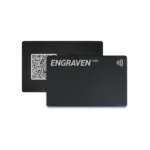
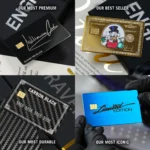
Check Out How To Add and Install Google Review Link To Your Review Card Or Strand
⬇️
How To Get More Reviews on Google as a Business
Meta Title: How to Get More Google Reviews for Your Business
Meta Description: Learn proven strategies to get more Google reviews and grow your business. Use tools like NFC review cards, automation, and smart timing to boost your online presence.
Introduction
Want more customers? More credibility? Higher rankings on Google?
Then you need more Google reviews—and not just any reviews, but authentic, positive feedback from real customers.
Whether you’re a local shop, service provider, or eCommerce brand, reviews on your Google Business Profile play a massive role in building trust and driving new business. In this article, we’ll show you exactly how to get more reviews—easily, ethically, and consistently.
⭐️ Why Google Reviews Matter So Much
Search Visibility: Businesses with more positive reviews appear higher in Google Maps and search results.
Customer Trust: 87% of people read reviews before choosing a business.
Conversion Boost: Positive reviews lead to more clicks, calls, and visits.
Social Proof: Reviews act like mini-referrals from your happy customers.
✅ Proven Ways to Get More Google Reviews
1. Ask at the Right Moment
Timing is everything. The best time to ask for a review is immediately after a great experience, such as:
After a haircut or spa service
When a customer thanks you for great support
Right after a successful delivery or completed job
Make it part of your routine: “Hey, if you had a good experience, would you mind leaving us a quick Google review?”
2. Make It Super Easy
Don’t make your customer search for your review page. Instead, use tools like:
📲 NFC Review Cards or Stands: Let customers tap their phone and leave a review in seconds.
📸 QR Codes: Great for menus, receipts, business cards, and displays.
🔗 Direct Links: Send a short, clickable link via text or email after the service.
With ReviU Cards, you can hand customers a sleek card or display a stand at checkout—programmed with your custom Google review link—so they can leave feedback instantly.
3. Follow Up by Email or SMS
Send a friendly follow-up 24–48 hours after a purchase or appointment. Keep it short and personal:
“Thanks for visiting [Business Name]! We’d love to hear your feedback. If you have a moment, please leave us a quick Google review: [link]”
Pro Tip: Use automation tools (like CRMs or booking software) to send these automatically!
4. Use Signage in Your Store or Office
Let customers know that reviews matter to you. Try signage like:
“Love our service? Tap here to leave a review!”
“Your feedback helps us grow—leave a review on Google!”
Place your ReviU NFC stand where it’s visible—at reception, checkout, or the waiting area.
5. Reward Your Team—Not Customers
Instead of offering discounts for reviews (which violates Google’s policies), motivate your team:
Reward employees when their service gets mentioned in a 5-star review.
Track reviews weekly and celebrate great feedback.
6. Respond to Every Review
Replying to reviews (even the bad ones) shows professionalism and builds trust with potential customers.
It also signals to Google that you’re active—giving your profile a boost in visibility.
⚠️ Avoid These Mistakes
❌ Never buy reviews or use fake accounts
❌ Don’t offer gifts in exchange for positive reviews
❌ Don’t create review kiosks where customers leave feedback on your business’s device (against Google guidelines)
Stay genuine. Focus on creating great experiences and making it easy for people to review you.
🚀 Final Thoughts
Google reviews are one of the most powerful marketing tools your business has—and they’re free. The key is removing friction and making it effortless for happy customers to share their experience.
That’s exactly what ReviU Cards are designed to do.
✅ NFC-enabled
✅ QR-ready
✅ Custom to your business
✅ Easy to set up, easy to use
🔗 Want more 5-star reviews?
Explore our NFC Review Cards & Stands on Shop Page and start turning customer satisfaction into online success today.
.
📝 How NFC Google Review Cards Can Help You Get More 5-Star Reviews
Meta Title: How NFC Google Review Cards Help You Get More Reviews
Meta Description: Learn how NFC-enabled Google Review cards and stands help local businesses collect more 5-star reviews with a simple tap or scan.
Introduction
In today’s digital world, your online reputation is everything. Whether you’re a small business, a service provider, or a local shop, Google reviews can make or break your success. The problem? Getting customers to leave reviews isn’t always easy.
That’s where NFC Google Review Cards and Stands from ReviU Cards come in.
What Are NFC Google Review Cards?
NFC (Near Field Communication) cards are small, tap-enabled devices that can instantly direct your customers to your Google review page. These cards don’t need an app or Wi-Fi. With just one tap from a smartphone, your customer is sent directly to your review form—saving time and removing all the usual friction.
Why Google Reviews Matter for Your Business
📈 Higher search rankings: More positive reviews help your business show up in local Google search results.
🏆 Builds trust: People are more likely to trust a business with strong online feedback.
📣 Boosts credibility: Your reviews speak louder than ads.
💼 Increases conversions: Potential customers often check Google reviews before deciding to contact you or visit your location.
How Our NFC Review Cards Work
Tap or scan: Customers tap the card or scan the QR code with their phone.
Direct link: They’re sent straight to your Google review form—no searching, no typing.
Leave review: In just seconds, a customer can write a 5-star review and post it.
You can provide your review link at checkout, or use the included instructions to update the link yourself at any time.
Benefits for Small Businesses
Easy to use for staff and customers
Customizable with your logo or branding
No apps or subscriptions required
Boosts your Google presence quickly
Final Thoughts
If you’ve struggled to get customer reviews, NFC Google Review Cards and Stands are the simplest solution available. Let your satisfied customers help grow your business—one tap at a time.
🔗 Shop Now and start getting more 5-star reviews today.
📝 Why Every Business Needs an NFC Review Stand at Checkout
Meta Title: Why Every Business Needs an NFC Google Review Stand
Meta Description: Discover how NFC Google Review stands at checkout can increase customer reviews and boost your online visibility.
Introduction
Looking to improve your online presence? Want more Google reviews without asking every customer for one? One of the easiest ways to make that happen is by using an NFC Google Review Stand at your checkout counter, reception desk, or service area.
What Is an NFC Review Stand?
An NFC review stand is a small, countertop device that includes both NFC tap technology and a QR code. It’s programmed with your Google review link so customers can simply tap their phone or scan the code to leave a review instantly.
It takes just 5–10 seconds—and no apps are needed.
How It Helps Businesses
✅ Encourages impulse reviews: Customers are more likely to leave a review right after a great experience.
✅ Reduces awkward asks: No need to request reviews manually—just point to the stand.
✅ Works for all customers: NFC for newer phones, QR for everyone else.
✅ Looks professional: Adds credibility to your counter or desk setup.
Perfect for Any Industry
NFC review stands work great in:
Salons & barbershops
Restaurants & cafés
Medical & dental offices
Retail stores
Auto services
Home service providers
Easy Setup, Flexible Use
You can provide your Google review link when ordering, and we’ll pre-program it for you. Or, use the included instructions to set up or change the link anytime.
Each product includes:
NFC card or stand
Instructions for setup and reprogramming
Conclusion
If you want to grow your business with more reviews—and do it effortlessly—placing an NFC review stand at checkout is one of the smartest moves you can make.
📦 Ready to get started?
🔗 Shop Page and take control of your reputation today.